
Webflow pricing is a two-layer pricing system. A Webflow Site plan pays for the live website, and a Webflow Workspace plan pays for how you build, stage, collaborate, and manage work inside Webflow. If you only need one live company site, a paid Site plan may be enough. If you manage multiple projects, client workflows, or team collaboration, you may also need a paid Workspace plan.
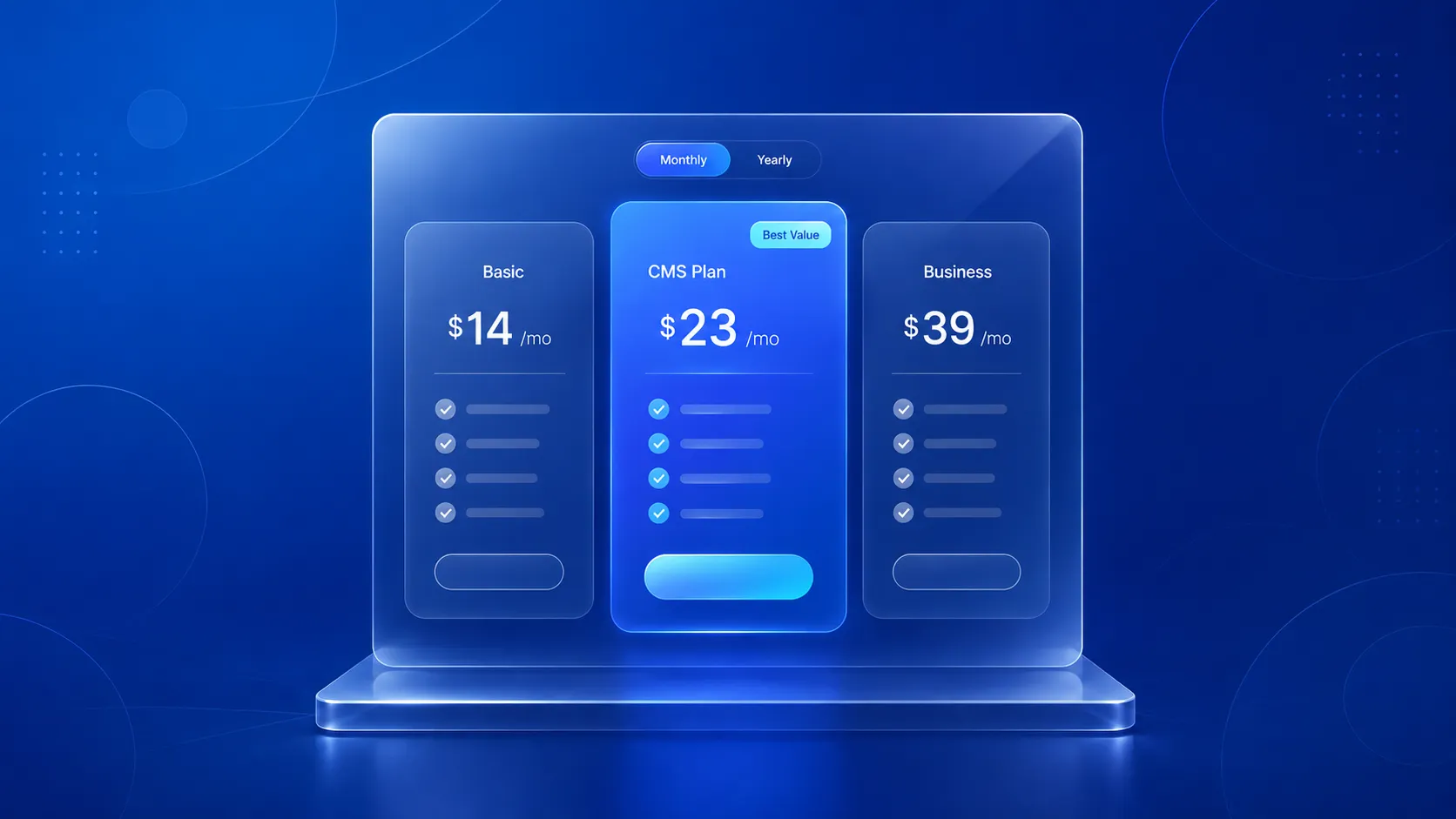
Webflow’s main Site plans include Starter, Basic, CMS, Business, and Enterprise. Basic starts at $14 per month billed yearly, CMS starts at $23, and Business starts at $39. Webflow also sells add-ons such as Analyze, Localization, and Optimize, so the real cost can move beyond the base plan depending on your setup.
The practical question is not just What does Webflow cost? The better question is Which Webflow setup matches the way this website will be launched, edited, and grown? At Devziv, we evaluate Webflow pricing through a growth lens. A brochure site, an SEO-led content site, an agency workflow, and a multilingual marketing site do not buy Webflow in the same way. This guide explains what Webflow pricing includes, where buyers choose the wrong plan, and how to choose a setup that supports growth instead of creating rework later.
What is Webflow pricing?
- Webflow pricing is the combination of Site plans, Workspace plans, ecommerce plans, and add-ons. Site plans are for hosting a specific website on a custom domain. Workspace plans are for staging, collaboration, permissions, code export, and client workflow. Ecommerce plans are for online stores. Add-ons such as Analyze, Localization, and Optimize increase the total cost when the site needs analytics, multilingual publishing, experimentation, or personalization.
- In simple terms, Webflow pricing is not one bill. Webflow pricing is a stack. The total cost depends on what the website does, who manages it, and how fast it needs to grow.
- Webflow officially separates Site plans from Workspace plans, and its help documentation makes clear that every site lives inside a Workspace while paid Site plans are what enable custom-domain publishing.
11 things you need to know before you buy
Before I compare plans, I want to focus on the details that actually affect cost, flexibility, and long-term fit. At Devziv, I look at Webflow pricing through a practical lens so buyers can understand what matters before choosing a plan.
- Webflow pricing is split into site plans and workspace plans
- You do not always need both plan types
- Site plans are for live websites on your custom domain
- Workspace plans are for building, staging, and team collaboration
- Ecommerce plans are different from standard website plans
- Add-ons and extra costs can increase your real Webflow budget
- Monthly pricing and annual pricing can lead to very different costs
- The cheapest Webflow plan is not always the best value
- The best Webflow plan depends on your use case
- Many buyers choose the wrong plan because they focus only on price
- A simple checklist can help you choose the right Webflow plan
1. Webflow pricing is split into site plans and workspace plans
This is the most important thing to understand first. A paid Site plan applies to one website and unlocks custom domain publishing plus site-level features like more pages, advanced SEO controls, more CMS capacity, and custom code support. A paid Workspace plan operates at the workspace level and is mainly about staging, collaboration, and managing how teams work across sites.
Many buyers mix these up because both affect how they use Webflow, but they solve different problems. If your main goal is to launch a live website on your own domain, you are thinking about a Site plan. If your main goal is team workflow, staging control, or multi-site management, you are thinking about a Workspace plan.
If you get this distinction right early, the rest of the pricing model becomes much easier to understand.
2. You do not always need both plan types
A lot of people assume Webflow requires two paid plans from the start. That is not always true. If you are a small business owner launching one company website, you may only need a paid Site plan while staying on a free Starter Workspace. Webflow states that Starter Workspaces allow free Starter sites on a webflow.io domain, and paid Site plans are what you need when you want to publish to a custom domain.
If you are a freelancer building multiple projects, need more than two free Starter sites, or want code export for sites you host elsewhere, Webflow says a paid Workspace plan may become necessary.
If you are an in-house marketing team or agency, the need for a paid Workspace plan often becomes stronger because collaboration, advanced staging, and multi-site workflow matter more. The practical takeaway is simple. Do not assume you need both. Buy based on hosting needs first, then add workspace capability if your workflow requires it.
3. Site plans are for live websites on your custom domain
Site plans are the part of Webflow pricing most buyers notice first because they are directly tied to launching a live site. Webflow says paid Site plans unlock publishing to a custom domain and expand site capabilities. On the current pricing page, Webflow lists these main Site plan paths:
- Starter for experimenting and prototyping
- Basic for simple sites without CMS needs
- CMS for blogs and SEO-driven sites built with structured content
- Business for larger marketing sites with more traffic and stronger CMS needs
- Enterprise for high-traffic sites that need flexible limits, enterprise security, and support
Webflow’s pricing page currently describes Basic as a fit for landing pages, personal sites, portfolios, or MVPs that do not require a CMS. It describes CMS as ideal for blogs and SEO-driven pages built with structured content. It describes Business as best for marketing sites with more traffic and enhanced CMS needs.
For most businesses, the real decision is not “Which plan is cheapest?” It is “Will this site stay simple, or will it need structured content, growth, and flexibility?” If you plan to publish articles, case studies, landing pages, or any recurring content, the CMS path usually deserves serious attention.
4. Workspace plans are for building, staging, and team collaboration
Workspace plans matter more when your website is part of a workflow, not just a one-time launch. Webflow says every account starts with a free Starter Workspace, and each Starter Workspace lets you create two free Starter sites hosted on webflow.io. If you need enhanced staging capabilities and advanced collaboration features, Webflow recommends upgrading the Workspace plan.
In simple terms, Workspace plans are about how you work inside Webflow. They matter when:
- you manage multiple sites
- more than one person needs access
- you want stronger staging workflows
- you build client projects
- you need code export for sites hosted elsewhere
This is why freelancers, agencies, and in-house teams often think about Workspace pricing differently from a solo founder. A solo founder may only care about getting one site live. An agency may care more about client workflow, internal collaboration, and managing many projects under one roof.
If your website is part of a team process, Workspace pricing deserves more attention than many basic pricing guides suggest.
5. Ecommerce plans are different from standard website plans
Not every business that sells something online needs to think about Webflow pricing in the same way. Ecommerce adds another layer to the decision. Webflow separates website pricing from Ecommerce pricing on its official pricing experience, which means store-related needs should not be treated as identical to standard brochure sites, blogs, or SaaS marketing sites.
That matters because many buyers overestimate what they need. If your immediate goal is a content-first marketing site with lead generation, a regular Site plan may be the main decision. If your goal is running a store with product management, checkout, and ecommerce operations, then you need to evaluate the ecommerce side of Webflow more closely.
The key is to separate “selling online” from “needing a full ecommerce setup right now.” Some brands start with content and lead generation first. Others need commerce features from day one. Your plan choice should follow the business model, not just the platform label.
6. Add-ons and extra costs can increase your real Webflow budget
This is where many pricing articles fall short. The base plan price is often not the full website cost. Webflow’s pricing and billing resources include add-ons and separate product areas such as Localization, Analyze, Optimize, and seat-related billing, which means your total cost can rise depending on how advanced your setup becomes.
In practice, your real Webflow budget may include:
- paid seats for additional users
- localization for multiple languages or regions
- analytics or optimization add-ons
- premium templates
- third-party apps and integrations
- domain costs
- migration work
- custom development
- SEO setup
- ongoing maintenance
This does not automatically make Webflow expensive. It means the real cost depends on the setup you actually need. It simply means buyers should think in total-cost terms, not headline-price terms.
For a company site, the important question is usually not “What is the monthly plan price?” It is “What will this website cost to launch, manage, and grow properly?”
7. Monthly pricing and annual pricing can lead to very different costs
Webflow’s pricing page supports monthly and yearly billing views, and it highlights savings on annual billing for some plans. That gives buyers two different ways to think about cost.
Monthly billing makes sense when:
- you are still testing requirements
- your project scope may change
- you want flexibility before committing long term
Annual billing makes more sense when:
- your site structure is stable
- you already know the plan you need
- you want to reduce the effective monthly cost over time
The right answer depends on certainty. If you are still figuring out whether you need CMS depth, team collaboration, or ecommerce capability, monthly may be the safer starting point. If your use case is already clear, annual billing may be more cost efficient.
8. The cheapest Webflow plan is not always the best value
It is easy to focus on the lowest visible number. It is harder, and smarter, to think about value over the next 6 to 12 months. A low-cost plan can be perfect for a very simple site. But if your business expects blog growth, structured content, more traffic, or multiple stakeholders, starting too low can create friction later. Webflow’s Site plan structure itself reflects this progression, with Basic for simpler sites, CMS for content-driven sites, and Business for higher-traffic marketing sites with stronger CMS needs.
The best-value plan is usually the lowest-cost option that still supports your near-term growth. That means you should consider:
- whether you will publish content regularly
- whether more people will need access
- whether your site will expand in complexity
- whether you may outgrow the plan quickly
Buying the cheapest plan can save money today. Buying the right-fit plan can save both money and migration pain later.
9. The best Webflow plan depends on your use case
This is where Webflow pricing becomes a real buying decision. The right setup changes based on whether you are a small business, a content team, a freelancer, an agency, or an ecommerce brand.
- For a simple business website:If you need a basic brochure-style site with limited content and no structured CMS needs, a simpler Site plan may be enough. Webflow’s Basic plan is positioned for landing pages, portfolios, personal sites, and MVPs without CMS requirements.
- For a blog or SEO content site:A CMS-oriented setup usually makes more sense because structured content is central to blogs, resource centers, and SEO landing page systems. Webflow explicitly positions the CMS plan for blogs and SEO-driven pages built with structured content.
- For a startup marketing site:Many startups need more than a brochure site. They often want landing pages, case studies, blogs, and room for fast iteration. That usually pushes the decision toward a CMS or Business-style path, depending on traffic and content needs.
- For freelancers:A freelancer may care more about workspace flexibility, project count, and code export than a business owner with one live site.
- For agencies:Agencies usually need collaboration, staging, and better multi-site management, which makes Workspace planning more important.
- For ecommerce brands:The ecommerce path should be evaluated separately from a standard site setup.
- For larger teams or enterprise needs:If security, support, scale, and advanced workflows matter, Enterprise enters the conversation. Webflow describes its Enterprise Site plan as a solution for high-traffic sites that need flexible limits, enterprise-level security, support, and collaboration.
10. Many buyers choose the wrong plan because they focus only on price
Price matters, but price alone is a weak buying filter for Webflow. Here are the most common mistakes:
- Confusing Site plans with Workspace plansThis is the biggest one, and Webflow’s own help content repeatedly addresses it.
- Ignoring CMS needsA content-heavy site needs a different setup from a simple landing page site.
- Ignoring team workflowA business with one decision-maker does not buy the same way an agency or marketing team should.
- Assuming the base plan is the total costAdd-ons, seats, apps, and service work can increase the real budget.
- Choosing for today onlyIf your site is likely to grow in content, traffic, or collaboration needs, that should shape the decision now.
The smartest buyers treat Webflow pricing as a fit decision, not just a cost decision.
11. A simple checklist can help you choose the right Webflow plan
Before you buy, ask these questions:
- Do you need a live website on a custom domain?
- Will you need CMS collections or ongoing content publishing?
- Will you sell products online?
- Will teammates or clients need access?
- Are you managing one site or several?
- Do you need stronger staging or collaboration features?
- Do you expect your content or traffic to grow?
- Will you need add-ons, integrations, or localization later?
If you can answer those clearly, your plan choice becomes much easier.
Which Webflow plan is best for your use case?
Which Webflow plan is best for a simple business website?
The best Webflow plan for a simple business website is usually Basic plus a Starter Workspace, as long as the website does not need a blog, structured CMS content, or a larger editorial workflow.
Which Webflow plan is best for a blog or SEO content site?
The best Webflow plan for a blog or SEO content site is usually the CMS Site plan because Webflow built the CMS plan for structured content, blogs, and SEO-driven pages.
Which Webflow plan is best for a startup marketing site?
The best Webflow plan for a startup marketing site is usually CMS or Business, depending on traffic, landing page volume, case studies, and how quickly the marketing team needs to publish and iterate.
Which Webflow plan is best for freelancers and agencies?
The best Webflow Workspace path for freelancers and agencies depends on client workflow, handoff needs, staged site volume, and client seats. If client delivery is part of the business model, the freelancer-agency Workspace track deserves more attention than the basic Site plan debate.
Which Webflow plan is best for enterprise teams?
The best Webflow setup for enterprise teams usually includes Enterprise when security, support, procurement, SLAs, permissions, and scale are part of the buying decision.
At Devziv, this is where planning matters most. Devziv sells Webflow development, SEO, migrations, CRO, maintenance, and integrations, so the agency’s strongest point of view is not generic pricing commentary. The strongest point of view is helping a buyer choose the Webflow setup that supports content operations, conversion paths, and long-term growth.
How does Devziv evaluate Webflow pricing for growth teams?
Devziv is a Webflow-only agency, so the useful perspective here is operational, not theoretical. If a website needs Webflow development services, scalable CMS templates, intent-based CTAs, SEO foundations, migration safety, performance discipline, and ongoing testing, the cheapest Webflow plan can become the most expensive choice because it creates workflow friction later.
That is why Devziv usually evaluates Webflow pricing through four filters: site structure, content model, team workflow, and growth roadmap. A company with one static site and one owner can stay lean. A team publishing SEO pages, running campaigns, managing multiple stakeholders, or planning localization needs a setup built for speed and governance.
FAQs
What is the difference between a Webflow Site plan and a Workspace plan?
A Site plan applies to one website and unlocks custom-domain publishing plus site-level features. A Workspace plan applies across the workspace and focuses on staging, collaboration, and managing how teams work across sites.
Do I need both a Site plan and a Workspace plan?
Not always. If you just want to publish one site on a custom domain, you may only need a paid Site plan. If you need more advanced collaboration, more free Starter sites, or code export, a paid Workspace plan may also be necessary.
Which Webflow plan is best for a blog?
Webflow’s CMS plan is the most obvious starting point for blogs because Webflow says it is ideal for blogs and SEO-driven pages built with structured content.
Which Webflow plan is best for a small business website?
It depends on whether the site is simple or content-heavy. A basic brochure-style site may fit a simpler plan, while a content-driven business site usually needs CMS functionality.
Does Webflow pricing include hosting?
Yes, Site plans are tied to hosting and publishing, including custom-domain publishing on paid Site plans. Webflow’s pricing page presents Site plans as the hosting and publishing layer for live sites.
Can I start with a free Webflow plan before upgrading?
Yes. Webflow offers a free Starter option for building and experimenting, and its help center says Starter Workspaces allow free Starter sites on a webflow.io domain before upgrading when needed.
What extra costs should I expect with Webflow?
Your total cost can include seats, add-ons, localization, premium templates, third-party apps, migration, development, and maintenance, depending on your setup. Webflow’s billing resources also show separate add-on categories and advanced products beyond the base plan.
Is Webflow worth the price for startups and growing businesses?
It can be, but the answer depends on fit. If the platform’s CMS, design control, hosting, and workflow tools match your growth needs, it may offer strong value. The mistake is choosing without understanding whether you really need a simple Site plan, a stronger CMS setup, or broader Workspace capability.
Final Thoughts on Webflow Pricing
Webflow pricing makes much more sense once you separate hosting from collaboration. Site plans are about getting a website live on your domain. Workspace plans are about how you build, manage, and scale work around those sites. Ecommerce, add-ons, and billing choices then shape the total cost from there.
The biggest mistake is buying based on the lowest number without thinking about content, workflow, and growth. If you are planning a Webflow build, redesign, migration, or SEO-focused content site, Devziv can help you choose the right setup before you pay for the wrong one.


